Booking & Payments Platform for Barbers

Your full menu in your bio — cuts, add-ons, prices.
Clients book knowing exactly what it costs.

Share one link — customers book and pay on any device, no app needed.1
List all your services and set your own prices in minutes.
No invoices. No chasing. Less back-and-forth. Get paid through your link.

Free for 6 Months — No Credit Card • Market Rate Advisor • Ready in Minutes

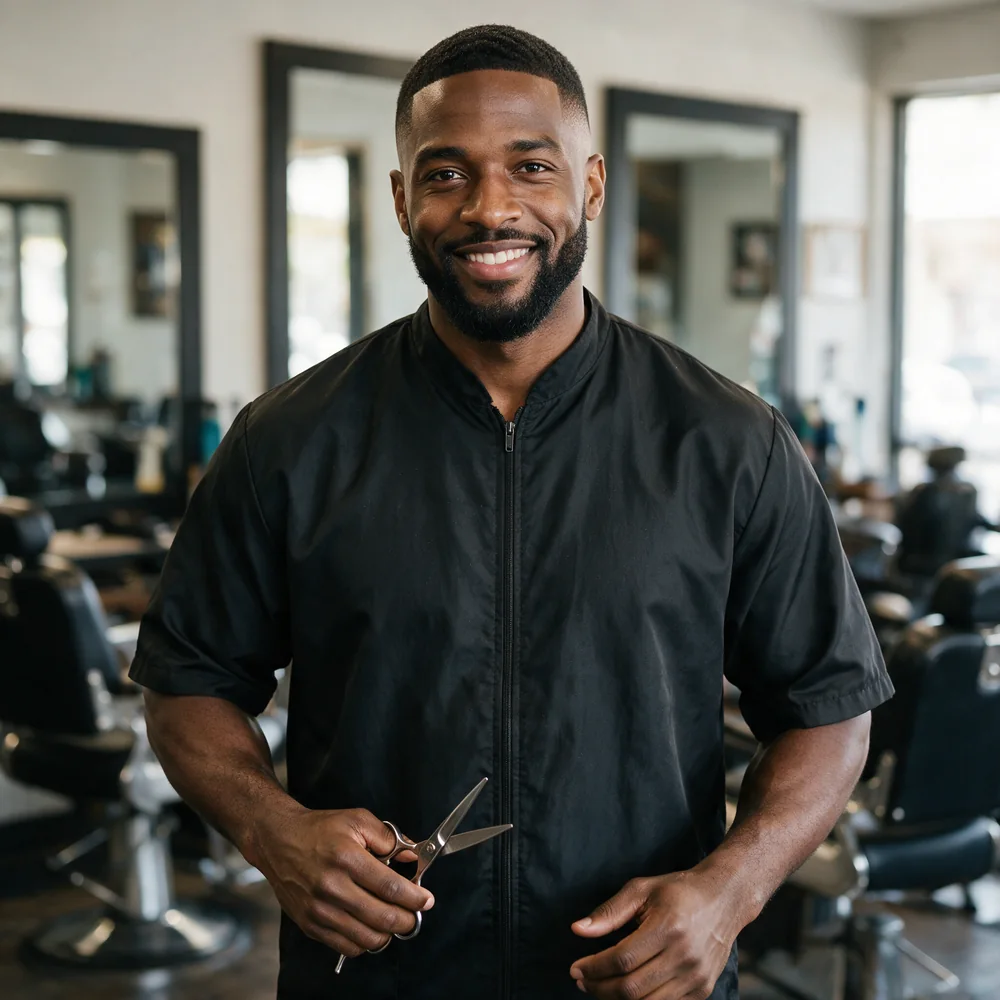
Barber with a client in the chair
Payment Sent
★★★★★

“No-shows dropped to basically zero once I started taking deposits through my link.” — Marcus J., Houston, TX

Barbering runs on a short cycle and a long relationship. A regular client comes back every two to four weeks, which over a year makes each chair worth far more than the price of a single cut suggests, and it means the whole economics of the business turn on retention and on the chair never sitting empty. That is also where the pain is. Barbering is booked at short notice, no-shows are common, and the deposit conversation is awkward in a trade where a lot of business is still cash and walk-ins. Publishing the menu with deposits built in changes it from a personal request into house policy.

How Barbers Price Their Work.

The billing structures this trade actually uses — and what each one means for getting paid. Every one of them can sit on a single rate card.

Per-service menu pricing

The core: cut, skin fade, beard trim, hot towel shave, cut and beard.

A published menu also does your marketing — it is what clients screenshot and share.

Deposit at booking

Any appointment, particularly longer ones and new clients.

Chair time cannot be recovered. A deposit is the only real protection.

Membership, billed monthly

Regulars on a two- or four-week cycle.

Two cuts a month billed automatically. Predictable income and near-total retention.

Premium and add-on services

Designs, colour, beard treatments, kids’ cuts.

Sits on the same menu so clients discover it themselves.

Where Barbers
Lose Money.

The payment problems specific to this trade, and what actually fixes each one.

no-shows and late cancellations

No-shows and late cancellations. An empty chair at four on a Saturday cannot be sold twice.

A deposit at booking makes the slot a commitment rather than an intention.

tips in a cashless world

Tips in a cashless world. Clients who used to tip cash now often do not, because there is no obvious moment to do it.

Built-in tipping at checkout restores the moment without anyone having to raise it.

booking buried in Instagram DMs

Booking happens in Instagram DMs, which means your schedule lives in a chat thread and double-bookings are inevitable.

One booking link in the bio replaces the DM thread and shows real availability.

Online Booking & Payments
for Barbers

RateCards turns your bio link into your booking page — menu, prices, deposits, and tips, all handled before the clippers come out.2

Deposits & No-Shows

Take Deposits At Booking — Protect Your Chair Time

Every empty chair is money gone. Collect a deposit when clients book so your schedule stays real and your time gets respected.

✓ Deposits At Booking
Multiple Payment Structures

Per Cut, Packages, Or House Calls — You Decide

Standard cut, cut + beard, kid’s price, house-call rate — price every service your way, including bundles for regulars.

✓ Per-Service · Packages · House Calls
Service Menu

Your Full Menu — Cuts, Fades, Beards, Add-Ons

List everything with prices so clients book knowing exactly what it costs. No DM negotiations, no surprises at the register.

✓ Unlimited Services & Add-Ons
QR Code & Shareable Link

QR At Your Station, Link In Your Bio

Print the QR by your mirror and drop the link in Instagram and TikTok. Walk-ins and followers book the same way — instantly.

✓ Instant Print-Ready QR Code
Recurring Payments

Turn Regulars Into Members

Sell a monthly membership — two cuts a month, priority booking — billed automatically. Steady income you can count on.3

✓ Automated Membership Billing
Client Messaging

Confirm Appointments And Cut The No-Show Texts

Message clients straight from your dashboard — confirmations, running-late notices, reschedules — without giving out your personal number.

✓ Built-In Client Messaging
AI-Native Platform

Built on AI.
Built for the Working Class.

RateCards puts the power of artificial intelligence in the hands of barbers — not just big corporations.

AI-Powered Setup

Describe what you do and AI builds your profiles and rate cards in seconds — your services, prices, and descriptions ready to share.

AI Rate Advisor

Stop guessing what to charge. Benchmark your rates against real market data so you win jobs — without leaving money on the table.

AI Voice Receptionist

Never miss a client again. The AI Voice Receptionist answers your calls 24/7, quotes from your rate cards and books the job while you're on site.

Up And Running In Minutes.

Three steps. That’s it.

1

Set Up Your Rate Card

Add your services and pricing in minutes. No tech skills needed.

2

Share Your Link

Text it, post it, or print it — customers open it on any device instantly.

3

Get Paid

They book and pay. You show up and do the work. Money in your account.

myratecards.com/a/andre-castillo

Barbers: Sell Your Services with a Link-in-Bio

One link in every bio, every post, every text — wherever your clients already find you.

Instagram
TikTok
Snapchat
Facebook
YouTube
WhatsApp
X
Yelp
Email
Spotify
LinkedIn
Create Your Rate Card →

Free for 6 months. No credit card required.

No Hassle.
No Friction.
No Delays.

Everything your customers need to pay you —
nothing they have to figure out.

  • Customers don’t need to download anything
  • Works on any phone or device
  • You set and control your own pricing
  • Free to set up — Low monthly fees
  • Start using it today in just minutes
Start for Free →

Free for 6 months. No credit card required.

★★★★★
“

My Instagram bio does the booking now. Clients pick the cut, pay the deposit, and show up.

DJ
Darius J. Barber — Brooklyn, NY

Common Questions.

RateCards is a booking and payment link for Barbers: list your services and prices on one page, take bookings and deposits, and get paid by card through Stripe — no website, no app, no code. Free to start, and most providers are set up in minutes. See how RateCards works or explore every feature.

QHow Do I Take Deposits Without Putting Clients Off?

Publishing the deposit as part of the menu makes it house policy rather than a personal request, which is a much easier conversation. Clients are used to deposits in barbering and generally accept them when they are stated up front.

QCan I Set Up A Monthly Membership For Regulars?

Yes. A membership covering two cuts a month, billed automatically, gives you predictable income and gives the client a reason not to try the shop down the road.

QHow Do Tips Work If Nobody Carries Cash?

Tipping is built into the checkout, so the client is offered the option at the point of payment. That restores a tipping moment that largely disappeared when cash did.

QCan I Take Bookings Straight From My Instagram Bio?

Yes. A single link in the bio shows your full menu and live availability, which is considerably more reliable than managing bookings through DMs.

QHow Do Barbers Get Paid Faster?

Clients pay through your link — deposit at booking, balance at the chair. Payments process through Stripe and typically arrive fast.1

QWhat Is A Rate Card For Barbers?

Your menu and prices on one page where clients book and pay — like your own mini storefront in your bio.1

QCan I Take Deposits To Stop No-Shows?

Yes. Collect a deposit at booking so empty-chair no-shows stop costing you money.

QCan I Sell Monthly Memberships?

Yes. Set up recurring memberships — like two cuts a month — billed automatically.3

QDo Clients Need An App To Book Me?

No. Your link opens in any browser on any device — no download required.

QCan Clients Tip Me?

Yes. Tipping is built in and optional — one tap at checkout.4

QHow Do I Share My Rate Card?

Drop the link in your Instagram or TikTok bio and print the QR code at your station.

QWhat Does RateCards Cost?

Starter is free for your first 6 months — no credit card required. After that it’s $5/mo billed annually ($60 a year) or $7/mo billed monthly. Solo is $24/mo billed annually ($288 a year) or $29/mo monthly, and Business is $119/mo billed annually ($1,428 a year) or $149/mo monthly. See the full breakdown on the RateCards pricing page.

QWhat Fees Come Out Of What I Earn?

Two, and both are flat percentages of the listed price. A 5.5% service fee is deducted from your payout — that rate is all-inclusive, so Stripe’s processing costs are absorbed within it rather than charged to you separately.7 A 5.5% client booking fee is added to your client’s total at checkout.7 Solo cuts your service fee by 20% and Business by 30%; the client booking fee stays 5.5%. Every rate is listed on the pricing page.

RateCards gives barbers one shareable link where clients see services and prices, book, and pay by card through Stripe. This page covers how the trade prices its work — per-service menu pricing, deposit at booking, membership, and premium and add-on services — and the payment problems specific to it: no-shows and late cancellations, tips in a cashless world, and booking buried in Instagram DMs. Deposits, recurring billing, tips, and a print-ready QR code are built in, and clients need no app or account. Free to start.
Ready To Start?

Stop Waiting To Get Paid.

Sell ALL your Services in ONE Link on your Social Media.

Create Your Rate Cards →

Starter is free for your first 6 months — no credit card required. $5/mo billed annually after that.7